Convert text to clear, natural sounding speech
- Free to use
- Works offline
- No usage limits
- Runs on normal computers
- Drag and drop files
How to use
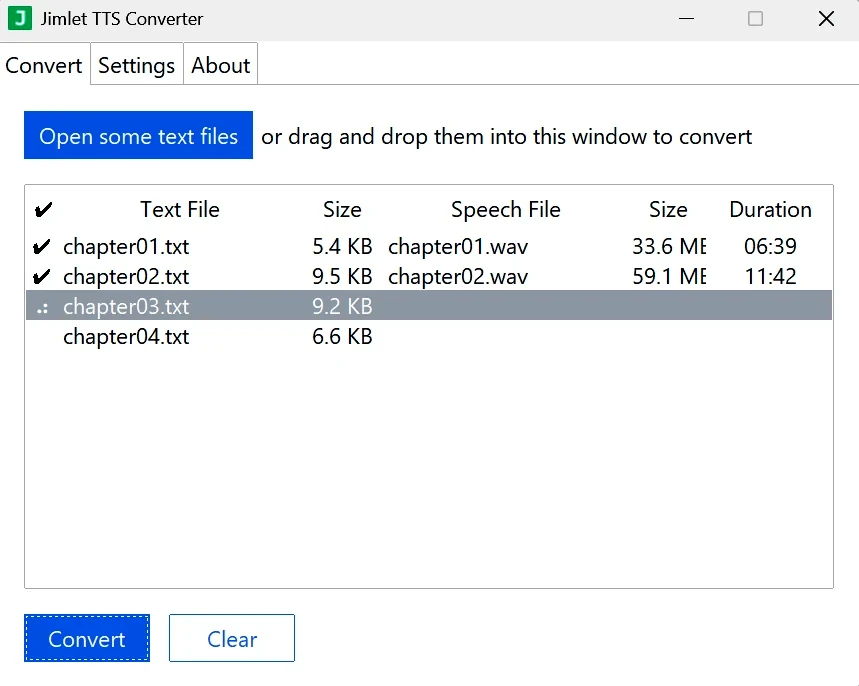
Download the ZIP file and extract it to any folder (your Downloads folder is fine). Click "jimlet.exe" to start the program. Add text files by dragging and dropping them into the window or by using the "Open" button, then click "Convert". The converted files appear in the same folder as the original text files. They have extensions like ".wav" or ".mp3". Open them to listen.
Note: The program works with text files only. Word files and other document formats need to be saved as plain text first.
Voices
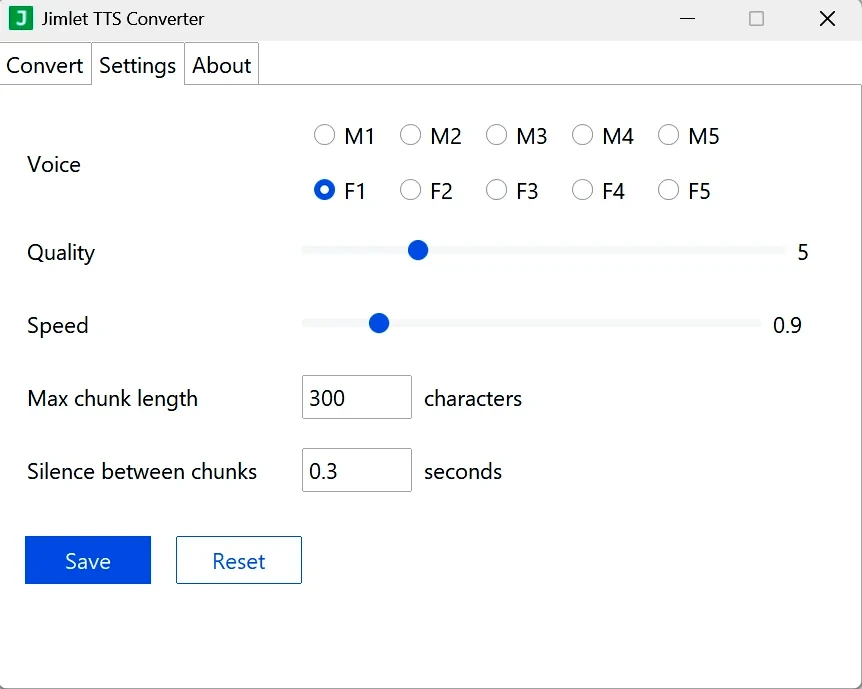
There are 5 male and 5 female English voices available. You can change the voice and adjust the speech rate in the Settings tab. Below are samples of the same text spoken with different voices at a 0.9 speech rate.
| Male 1 | Female 1 | ||
| Male 2 | Female 2 | ||
| Male 3 | Female 3 | ||
| Male 4 | Female 4 | ||
| Male 5 | Female 5 |